
Regular team for businesses
The people who already know where you keep the glasses.
Anyone who has worked well for you should be easy to find again. Favourites, known professionals and blocking exist today, in your account and in the Sunworker app.
Browse professionalsStart live demo
No base fee. 15% service fee on the order value, only when a job goes ahead.
From the first job to a regular team.
No contract, no commitment.
Book once
You send a request, the professional accepts, the job takes place. Once it is completed, they appear under “Known professionals” on their own.
Save who was a good fit
One tap on the star, on the profile or in search. You find your favourites in one place.
Request again
Straight from the list, on the same rules as any request: they name their rate and accept or decline.
Live demo
Take a look at a business account.
A sample business with jobs, a calendar and known professionals. Nothing is saved or sent in the demo.
Start live demoNo sign-up, in your browser.
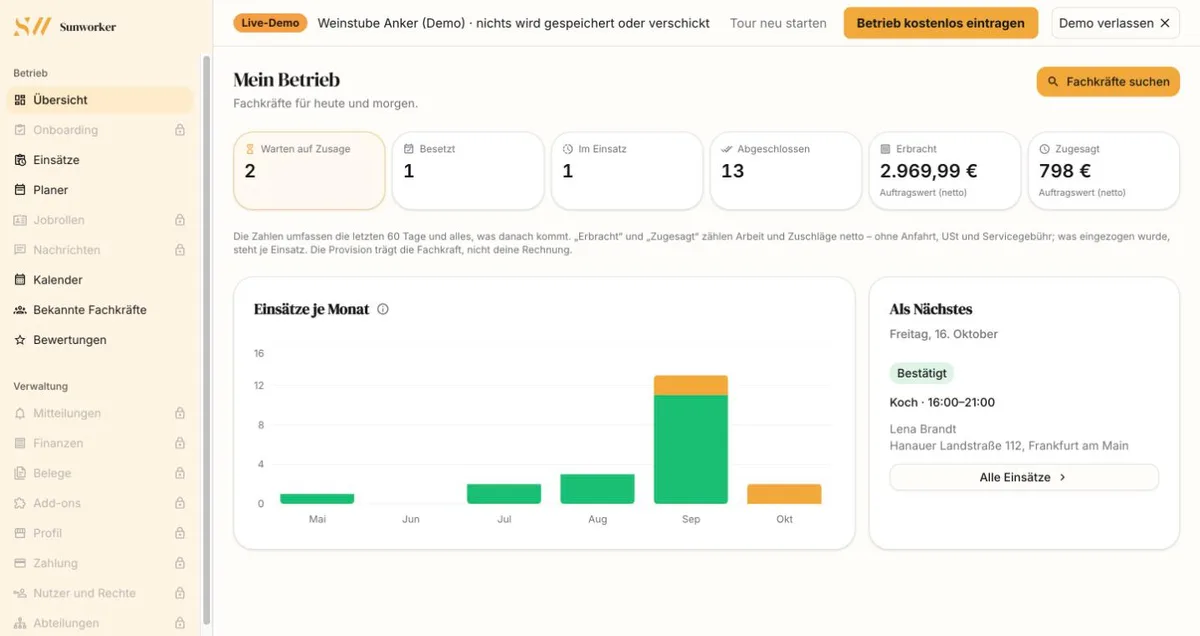
Real views from the demo account.
“Weinstube Anker” is a sample business in Frankfurt am Main. This is what your account looks like once the first jobs have run.
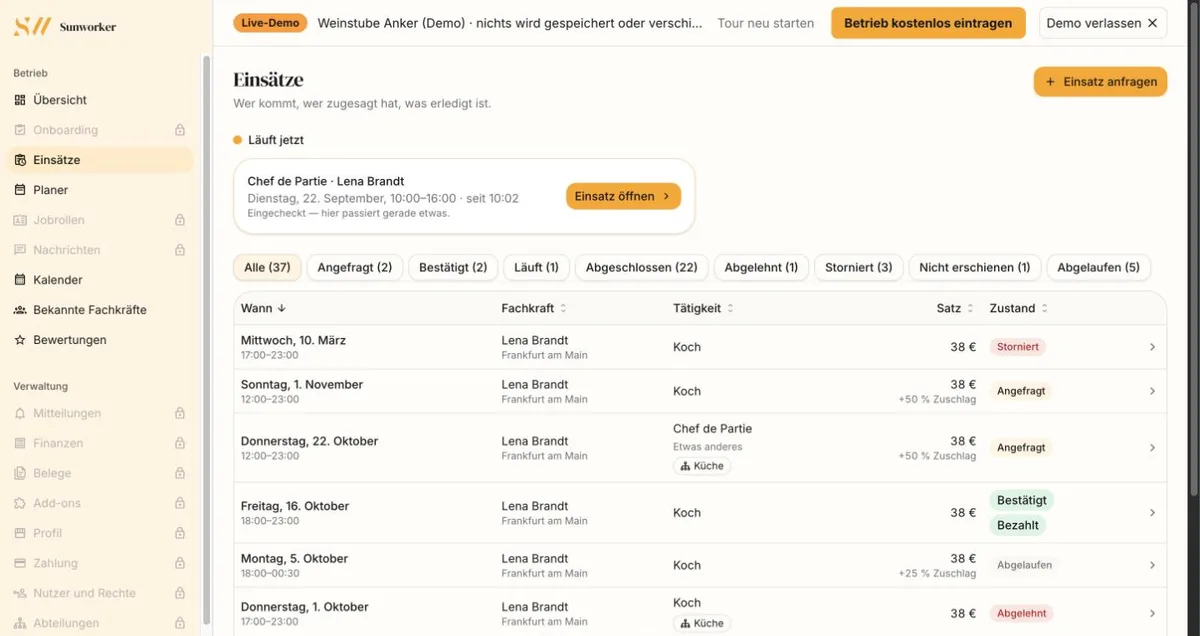
Jobs
Who is coming, who has accepted, what is done.
All jobs in one list, with professional, role, rate and status. Whatever is running now is at the top.
- Filter by status: requested, confirmed, running, completed
- Surcharges are shown on the job, such as +50 % on Sundays
- Whether a job is paid is shown right next to it
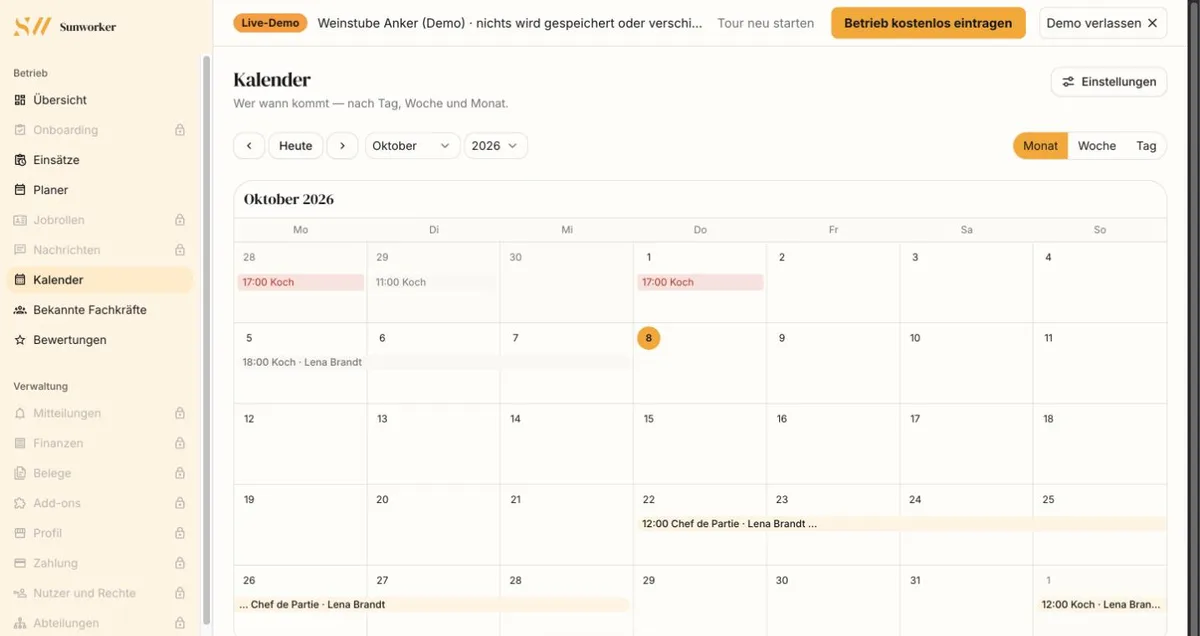
Calendar
Who comes when.
Your jobs in a calendar, by month, week or day. Who works for you more often, you see at a glance.
- Month, week and day view
- Every job with time, role and professional
- “Today” takes you back to the current day
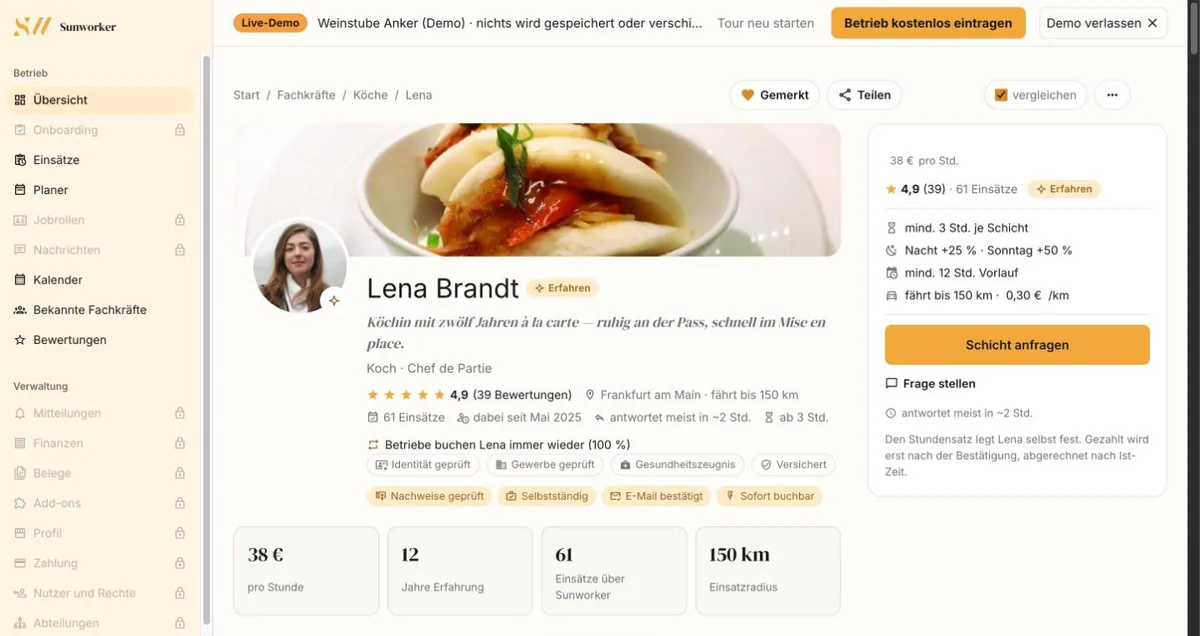
Profile
Before you request, you see who with.
Rate, terms and verified documents are on the profile. The professional sets the hourly rate herself.
- Verified: identity, trade licence, health certificate
- Her terms: minimum length, surcharges, notice, travel
- “Save” on the profile – then she is in your favourites
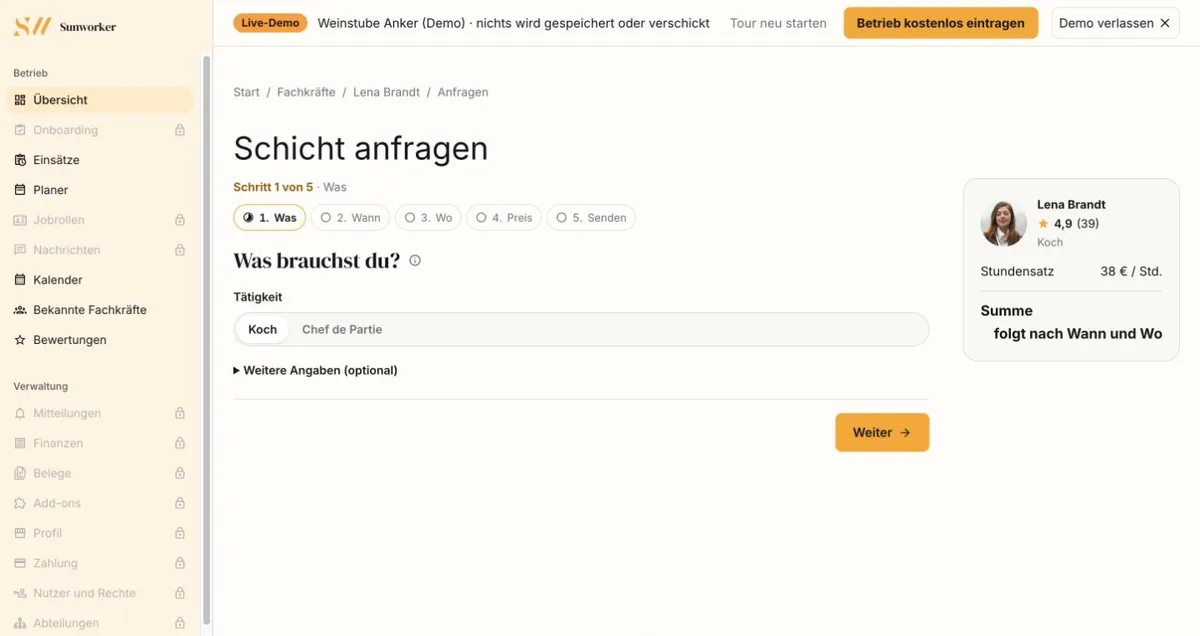
Request
Requested in five steps.
What, when, where, price, send. Sunworker works out the total from her rate and the times before you send.
- You pick the role from the ones she offers
- The price card shows her hourly rate and the total
- She accepts or declines; payment is collected only when you confirm
Your lists.
Three lists exist today, in your account and in the app. Custom lists such as “Weekend” or “Banquet” are in preparation.
Favourites
AvailableWho gets on it: Professionals you save – on the profile, in search or after a job.
What it does: You find them in one place and request them directly.
Known professionals
AvailableWho gets on it: Builds itself: anyone who has completed a job with you is listed here.
What it does: Shows jobs together, the last job and the hourly rate from the profile. Re-requests follow the same rules as any request.
Blocked
AvailableWho gets on it: You block the conversation with a professional when it didn’t work out.
What it does: No new requests are possible between you. Ongoing jobs are unaffected.
Custom lists
Who gets on it: You create lists such as “Weekend” or “Banquet” and add professionals.
What it does: In preparation. Then you choose in the planner whether a shift is visible to a list first or only.
What holds your regular team together.
Re-request
AvailableIncludes: Requests straight from favourites, known professionals or the profile.
Benefit: The same rules as the first time: their rate, their acceptance, paid through escrow.
Planner
AvailableIncludes: Open shifts set to “Your regular team first” or “Only your regular team”.
Benefit: Favourites and known professionals see the shift first, then everyone who fits. You set how long, in hours.
Overview
AvailableIncludes: Jobs together, last job, order value so far and verified documents.
Benefit: You see at a glance who has been with you how often, sorted by the last job.
Messages
AvailableIncludes: One conversation per professional, with the notes on your jobs.
Benefit: Arrangements for the next job stay in one place.
What it costs and how it is billed.
No base fee, no subscription. You pay per job, through escrow.
- Payment is collected when you confirm; until completion the money sits in escrow.
- Billing is to the minute, on the actual hours.
- The professional sets surcharges themselves; per minute the highest applies, not the sum.
- Payout follows after 72 hours of clearing, once the invoice for the job is available.
15%service fee on the order value
Private clients pay no service fee. Below are the surcharges Sunworker suggests:
- Night work (11 pm–6 am)
- +25%
- Sunday
- +50%
- Public holiday
- +100%
Self-employed
What a regular team is not.
No employment, no fixed shifts, no exclusivity. Whoever is on your lists stays self-employed, works for others too and accepts or declines each job individually.
- The professional sets the hourly rate, not the business.
- Every job is a separate request that they accept or decline.
And the professional? They see the businesses they have worked for in their account and decide on every request themselves.
Good to know
Does the professional find out that I saved them?
Not who saved them. They only see how often their profile was saved; their public profile shows the number only from five upwards. They get a notification only if they switched it on themselves – and even then without your name.
When does someone appear under “Known professionals”?
As soon as a job with you is completed. The list shows how often someone has worked for you, when they last did, the order value so far and their verified documents. Whoever was there most recently is at the top.
Can I give my regular team a fixed rate or fixed shifts?
No. Every professional sets their own hourly rate, and every job is a separate request that they accept or decline. In the planner, too, they apply at their own rate.
What happens when I block someone?
The conversation between you is locked, and you can’t send this professional a new request. Ongoing jobs are unaffected. Only the side that blocked can lift the block.
How do I show an open shift to my regular team first?
In the planner, choose “Your regular team first” or “Only your regular team” for an open shift. Your favourites and everyone who has worked for you then see the shift first – for 12 hours unless you set otherwise, then all professionals who fit.
What does a regular team cost me?
Nothing extra. Lists and messages are part of the account, and there is no base fee. Per job you pay the service fee of 15% on the order value.
A regular team starts with the first job.
Find a professional, book the first job – whoever was a good fit, you will find again afterwards.